
Table of Contents
- Why Most Useful Home Gadgets End Up in a Drawer
- How to Evaluate Tech Products Before Buying
- Best Productivity Gadgets for Work from Home
- How to Avoid Impulse Buying Tech Gadgets
- Useful Home Gadgets Worth Adding to Your Setup Right Now
- Avoiding Tech Clutter: Digital Minimalism for Your Workspace
- Conclusion
Last Updated: August 27, 2026
Why Most Useful Home Gadgets End Up in a Drawer
Useful home gadgets are everywhere, and so is the disappointment that follows. At Velora, we've watched this pattern repeat: a product looks brilliant in a 30-second video, arrives in a week, gets used twice, then disappears into a cabinet. The problem isn't bad choices, it's that most buying decisions lack a framework for evaluating whether a gadget will actually fit into daily life.
What separates a genuinely useful gadget from an expensive dust collector comes down to one question: does it remove friction from something you do every day, or does it add a new task to your routine? Most "productivity" tech fails the second half. It promises to save time but requires setup, firmware updates, and troubleshooting that quietly eats into the time it supposedly saves.
Below, we'll break down how to evaluate tech products before buying, which gadgets are worth the investment for a work-from-home setup, and how to avoid the trap of impulse buying tech gadgets that clutter your space and attention.
The Real Cost: Time, Money, and Cognitive Load
Cognitive load is the mental effort required to manage your environment. Every gadget you own that requires attention, charging, pairing, or troubleshooting adds to that load. A poorly chosen device doesn't just cost money, it costs mental bandwidth.
The real cost of a gadget includes research time, setup, learning its interface, maintenance, and eventual disposal. For a $40 device you use three times, that total cost in time often exceeds what you paid. This is why workspace ergonomics and digital minimalism go hand in hand. A leaner, more intentional setup almost always outperforms a cluttered one packed with half-functional peripherals.
How to Evaluate Tech Products Before Buying
The biggest mistake with tech buying is letting marketing do the evaluating. A product that solves a problem you actually have is worth ten times a product that solves a problem you didn't know you had until you watched a video about it.
According to Consumer Reports' guide to evaluating electronics, the most reliable indicator of long-term satisfaction with a tech product is whether it integrates into existing habits rather than requiring new ones.
Start with a simple filter: write down the three most time-consuming or frustrating parts of your workday. If a gadget doesn't directly address one of those three things, it's not a productivity tool, it's a hobby.
The Return on Time (ROT) Calculator
Return on Time (ROT) is a decision framework for evaluating whether a gadget is worth buying based on time saved rather than features offered. Here's how to apply it before any tech purchase:
- Estimate the time the gadget saves per use. Be conservative.
- Estimate how often you'll use it per week. Most people overestimate this by a factor of three.
- Calculate weekly time saved. Multiply the two figures.
- Estimate setup and maintenance time over a 12-month period.
- Calculate your break-even point. Divide total maintenance time by weekly time saved.
If the break-even point is longer than three months, the gadget probably isn't worth it unless the time it saves is genuinely painful to spend.
| Gadget Type | Avg. Setup Time | Time Saved Per Use | Break-Even (Weeks) |
|---|---|---|---|
| Smart plug / power strip | 15-30 min | 30-60 sec | 4-8 weeks |
| Mechanical keyboard | 1-2 hours | 2-5 min/day | 2-4 weeks |
| Bluetooth remote control | 5-10 min | 1-3 min/use | 1-2 weeks |
| Mini projector | 20-45 min | Varies | 6-12 weeks |
| Noise-canceling headset | 10-20 min | 30-60 min/day | 1 week |
Integration vs. Isolation: Does It Fit Your Ecosystem?
Device interoperability is one of the most underrated factors in evaluating useful home gadgets. A gadget that works in isolation might be functional, but one that integrates with your existing ecosystem multiplies its value.

Ask three questions before buying:
- Does it connect to the devices I already use without requiring a separate app?
- Does it work with my operating system, smart home hub, or existing peripherals?
- If it requires a subscription or cloud service, what happens if that service shuts down?
Smart home integration is worth pursuing only when it's seamless. A device that requires you to open a separate app, wait for it to load, and tap three buttons to perform a function you could do manually in five seconds has negative ROT.
Best Productivity Gadgets for Work from Home
The best productivity gadgets for work from home share one trait: they reduce the number of decisions you have to make during the day. Workflow optimization isn't about adding more tools, it's about removing the small, repeated friction points that accumulate into hours of lost focus every week.
The categories that consistently deliver real value are ergonomic hardware, smart home connectivity, and task management peripherals.
Ergonomic Hardware and Input Devices
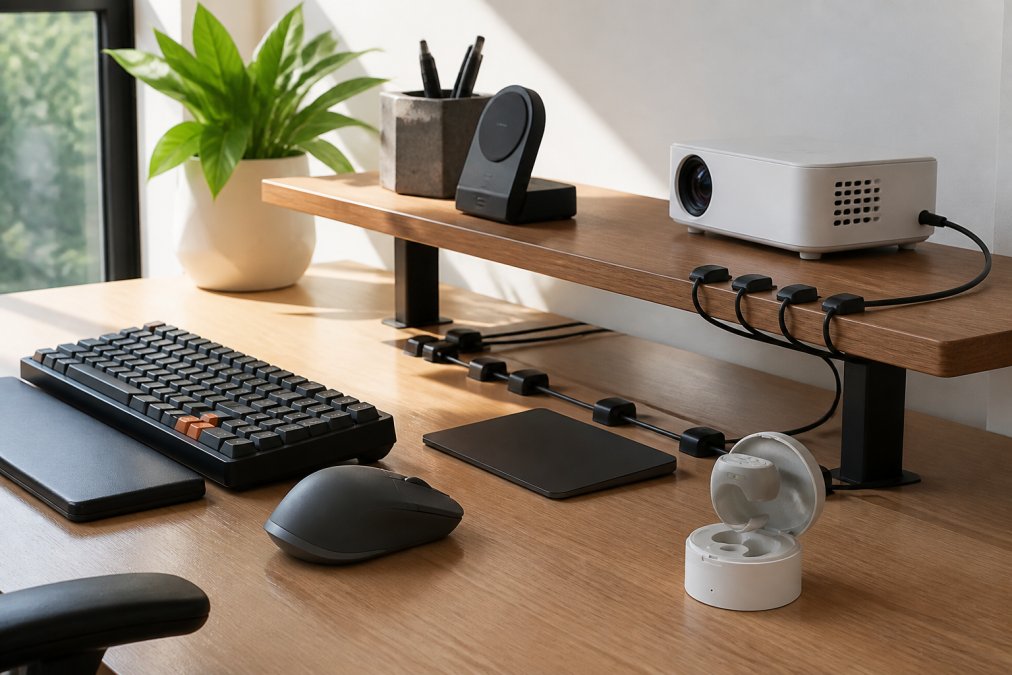
Workspace ergonomics is where most professionals underinvest. A mechanical keyboard with proper key travel reduces finger fatigue over long typing sessions. A vertical or ergonomic mouse reduces wrist strain. For anyone who types for three or more hours a day, these are functional necessities, not luxury upgrades.
Ergonomic hardware pays off slowly. You won't notice the benefit on day one, but after three months when you haven't had wrist pain, the value becomes clear.
Input devices worth evaluating:
- Mechanical keyboards: Look for low-latency actuation and a layout that matches your typing habits. Battery life matters if you prefer wireless.
- Ergonomic mice: Vertical designs reduce forearm rotation. Trackballs eliminate the need to move your arm entirely.
- Monitor arms: Free up desk space and position your screen at true eye level, reducing neck strain significantly.
- Cable management: Often overlooked, but tech clutter on a desk increases cognitive load. Simple cable clips or under-desk trays make a measurable difference in how focused a workspace feels.
Smart Home Connectivity and Automation Tools
Smart home integration earns its place in a productive setup when it handles tasks that would otherwise interrupt focus. Lighting automation that adjusts based on time of day, smart plugs that cut power to distracting devices during work hours, and voice-controlled timers that keep you on schedule all reduce friction.
According to the U.S. Department of Energy's guidance on smart home technology, connected home devices can meaningfully reduce the time spent on routine household management when configured correctly. The key phrase is "configured correctly." Out of the box, most smart home devices require significant setup before they deliver value.
Start with one device, get it working properly, and evaluate whether it actually changes your routine before adding more. A house full of half-configured smart devices is more stressful than a house with none.
How to Avoid Impulse Buying Tech Gadgets
Impulse buying tech gadgets is almost always driven by a gap between how a product is presented and how it actually functions in daily life. Short-form video content is particularly effective at making gadgets look transformative. A 15-second clip shows the best-case scenario. It never shows the setup process, connectivity issues, or the moment you realize you already had a simpler way to do the same thing.
As documented in the American Psychological Association's research on impulse buying behavior, the gap between anticipated and actual utility is widest for products that promise to solve vague problems. "Boost your productivity" is vague. "Saves 20 minutes of cable untangling per week" is specific.
Three rules that prevent most bad tech purchases:
- Wait 72 hours. Most impulse buys feel less urgent after three days. If you still want it, the desire is probably genuine.
- Find one person who uses it daily. Not a reviewer who tested it for a week, but someone who has owned it for three months and still uses it regularly.
- Read the one-star reviews first. The most common complaints reveal the real failure modes of a product. If those failure modes would affect you, the product isn't worth buying.
The Gadget Retirement Strategy
Most people don't have a plan for what happens when a gadget stops being useful. It sits on a shelf, then moves to a drawer, then gets forgotten. This is how tech clutter accumulates.
A gadget retirement strategy is a simple system for regularly auditing your devices and removing the ones that no longer earn their place:
- Every three months, list every gadget you own that requires charging, pairing, or maintenance.
- For each one, ask: did I use this at least once per week in the last month?
- If the answer is no, return it (if recently purchased), donate it, or recycle it through an electronics recycling program.
This maintains a setup where everything you own is something you actually use. A leaner setup is easier to maintain, easier to think in, and easier to upgrade when something genuinely better comes along.
Useful Home Gadgets Worth Adding to Your Setup Right Now
Practical utility beats novelty every time. The gadgets worth adding to a productive home setup are the ones that solve specific, recurring problems without creating new ones.
Here are four picks that clear the ROT bar:
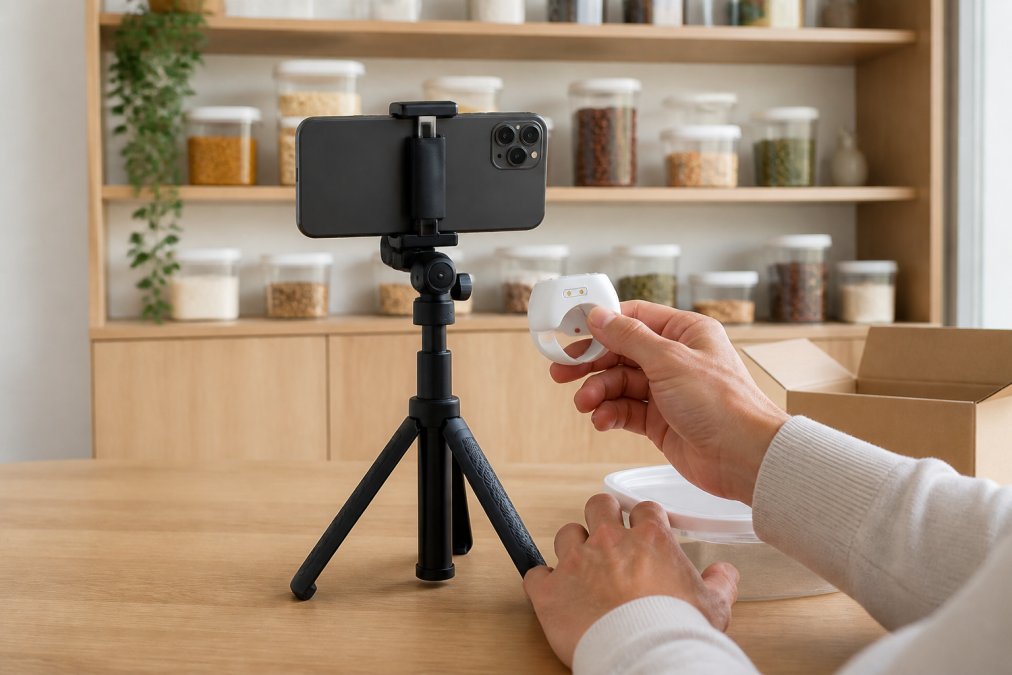
Bluetooth Remote Control for Video and Photography ($19.99): If you record video, take calls, or shoot content from a phone, a Velora Bluetooth remote eliminates the constant back-and-forth between your phone and your position. Setup takes under five minutes. The break-even point is roughly a week of regular use. It's compact, has strong battery life, and works across platforms without additional software.
Airtight Food Storage Containers ($49.99): Productivity isn't only about screens and keyboards. Time spent managing a disorganized pantry or searching for ingredients is time lost. The Velora clear airtight storage bins solve a specific, daily friction point. The moisture-proof design keeps dry goods fresh longer, and the clear construction means you can see what you have without opening everything.

First Aid and Household Organizer ($29.99): A clear, handled storage kit might not sound like a productivity tool, but losing ten minutes searching for a specific item in a cluttered cabinet is a real cost. The removable tray and clear design make it genuinely functional for home office supplies, cables, or anything else that tends to disappear.

Portable Mini Projector ($79.99): For presentations, collaborative work sessions, or focused video review, a mini projector turns any wall into a display. The 720p output is sufficient for most work use cases, and the compact design means it stores easily when not in use. The ROT is highest for people who regularly present or collaborate in spaces without a monitor.
| Gadget | Price | Best For | Setup Time |
|---|---|---|---|
| Bluetooth Remote Control | $19.99 | Content creators, remote workers | Under 5 min |
| Airtight Storage Bins | $49.99 | Pantry and kitchen organization | Under 10 min |
| Household Organizer Box | $29.99 | Home office supply management | Under 5 min |
| Portable Mini Projector | $79.99 | Presentations, collaborative work | 20-45 min |
Avoiding Tech Clutter: Digital Minimalism for Your Workspace
Digital minimalism is not about owning fewer things for philosophical reasons. It's a practical approach to setup efficiency: the fewer devices competing for your attention, the more cognitive bandwidth you have for actual work.
Tech clutter takes two forms. Physical clutter is the visible mess of cables, devices, and accessories without a clear home. Cognitive clutter is the background awareness of every device that needs charging, updating, or troubleshooting. Both forms degrade focus over time.
The functional utility test for any device in your workspace: if it were removed tomorrow, would your work suffer? If the answer is no, the device is clutter, not infrastructure.
According to the National Institute for Occupational Safety and Health's guidance on workspace design, a well-organized physical workspace directly supports sustained attention and reduces error rates. Cable management, clear surfaces, and intentional placement of input devices all contribute to a workspace that supports focus.
A practical starting point for workspace decluttering:
- Remove everything from your desk surface that you don't use daily.
- Consolidate charging to one location, ideally off the primary work surface.
- Audit your smart home devices and disable any that require active management rather than running automatically.
- Keep one peripheral for each function. Multiple mice, headphones, and charging cables for the same device are all forms of clutter.
The goal isn't a sterile workspace. It's a setup where everything present earns its place every day.
Frequently Asked Questions
How can I tell if a productivity gadget is a gimmick?
Ask one question before buying: does this save me measurable time or reduce a recurring friction point? If the answer relies on a best-case scenario, perfect lighting, ideal conditions, or a habit you don't already have, it's likely a gimmick. Solid useful home gadgets solve a problem you already notice daily, work without a steep learning curve, and fit into your existing workflow without requiring you to change everything else around them.
What criteria should I use to evaluate home office tech?
Start with three filters: functional utility (does it replace something slower or harder?), device interoperability (does it connect to what you already own?), and maintenance load (how often does it need charging, firmware updates, or troubleshooting?). Gadgets that fail any one of these filters tend to create tech fatigue rather than reduce it. Prioritize hardware durability and low cognitive load over novelty features you'll use twice.
What are some of the most useful household gadgets for everyday life?
The most consistently useful household gadgets are ones that automate repetitive tasks or eliminate small daily annoyances: airtight food storage containers that reduce waste, Bluetooth remotes that cut setup time for content creation, portable projectors that replace bulky screens for flexible workspaces, and clear organizers that reduce the time spent searching for items. The common thread is that each one removes friction from something you do regularly, not just occasionally.
How do I avoid wasting money on trending tech gadgets that turn out to be useless?
Give every gadget a 30-day probation period. If you haven't used it at least three times per week by day 30, it's not solving a real problem for you. Before buying, calculate your Return on Time: estimate how many minutes per week it saves, multiply by 52, and decide if that annual time saving justifies the price. This single mental model eliminates most impulse tech purchases and keeps your workspace free of tech clutter.
Choosing useful home gadgets is ultimately a discipline, not a shopping habit. The gadgets that genuinely improve productivity are rarely the most exciting ones in a video. They're the ones that quietly remove friction from tasks you do repeatedly, every day, without asking much in return. Velora curates products with exactly that standard in mind: thoughtfully selected, practically tested, and priced to make the decision easy. Shop all now and find the additions that actually fit your setup.
This article was written using GrandRanker